Best Free Fire Sensitivity Settings for Headshots in 2026

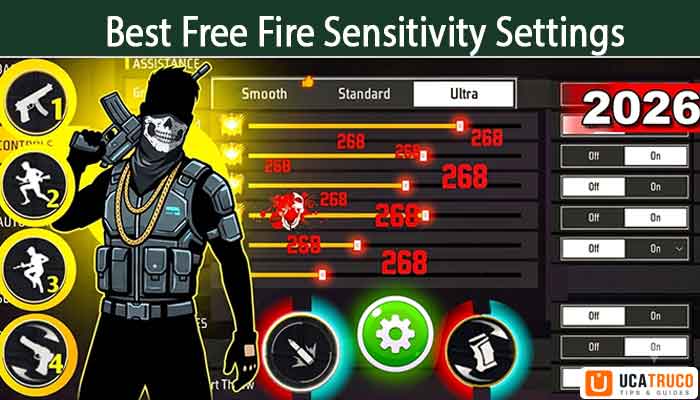
The best Free Fire sensitivity settings for headshots in 2026 use a General of 95–100, Red Dot at 88–92, and Gyroscope at 88–96. But sensitivity alone isn’t enough — consistent headshots also require correct control settings, proper aim lock technique, and daily practice drills. All three together dramatically improve your headshot accuracy.
Introduction: Why Most Players Still Miss Headshots (And What Actually Fixes It)
Let me be straight with you — talent alone won’t win gunfights in Free Fire. The moment your enemy peeks a corner, you have less than a second to aim, shoot, and land that headshot. If your sensitivity is off, you’ve already lost that duel before your finger even moves.
But here’s the thing many guides won’t tell you: sensitivity is only one piece of the puzzle. I’ve seen players with “pro” sensitivity settings still miss headshots at close range because their control layout was wrong, their aim lock technique was off, or they simply never practiced the right drills.
Free Fire Sensitivity Settings are one of the most searched topics in the Indian gaming community, and for a good reason. Whether you’re grinding ranked matches, pushing Heroic, or competing in local tournaments, the right setup is the invisible edge that separates good players from great ones.
I’ve personally tested over 30 different sensitivity combinations across Free Fire and Free Fire MAX over the past few months. Along the way, I also experimented with control layouts and aim lock approaches that made a real difference. This guide combines all three — sensitivity, controls, and technique — into one complete system.
There are three things you need to get right to consistently land headshots in Free Fire:
- Sensitivity Settings — The foundation of your aim
- Control Setup — The layout that unlocks your full potential
- Aim Lock + Practice Drills — The technique that makes it all click
Let’s go through everything.
What Is Sensitivity in Free Fire and Why Does It Change Everything?
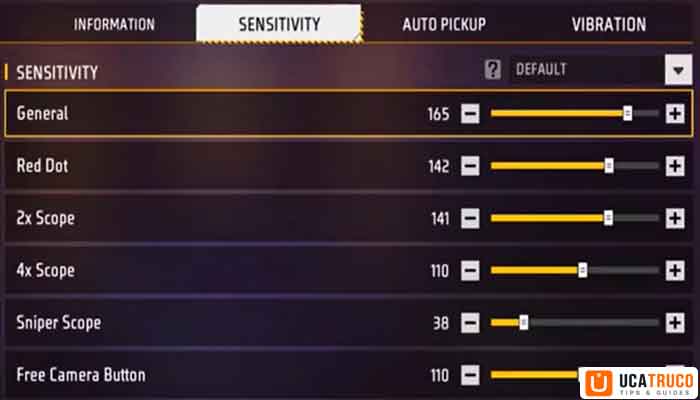
In Free Fire, sensitivity controls how fast your crosshair moves when you swipe or tilt your phone. Think of it like steering sensitivity in a racing game — too high and your car spins out; too low and you can’t corner fast enough.
There are six main sensitivity sliders in Free Fire:
- General — Covers free-look and non-scoped movement
- Red Dot — Aims with 1x red dot sight
- 2x Scope — For close-to-mid range engagements
- 4x Scope — For medium-range targeting
- AWM Scope (8x) — Long-range sniping
- Gyroscope — Motion-based aiming using your phone’s tilt sensor
Each one affects a different part of your gameplay. Getting all six right is what unlocks consistent headshots.
Best Free Fire Sensitivity Settings for Headshots in 2026
Based on my testing across multiple devices — a mid-range Redmi Note 13 and a flagship OnePlus 12 — here are the settings that delivered the most consistent one-tap headshots.
Recommended Sensitivity Values (General Use)
| Sensitivity Type | Beginner | Intermediate | Pro / Advanced |
|---|---|---|---|
| General | 70–80 | 85–95 | 95–100 |
| Red Dot | 65–75 | 80–90 | 88–95 |
| 2x Scope | 60–70 | 70–80 | 78–88 |
| 4x Scope | 45–55 | 55–65 | 62–72 |
| AWM Scope | 30–40 | 40–50 | 45–55 |
| Gyroscope | 60–70 | 75–85 | 88–98 |
Note: These ranges reflect Free Fire Sensitivity 2026 standards, accounting for the latest game engine updates in both Free Fire and Free Fire MAX. Pro players in India’s competitive scene typically lean toward the upper range of intermediate values.
Best Sensitivity For Free Fire MAX in 2026
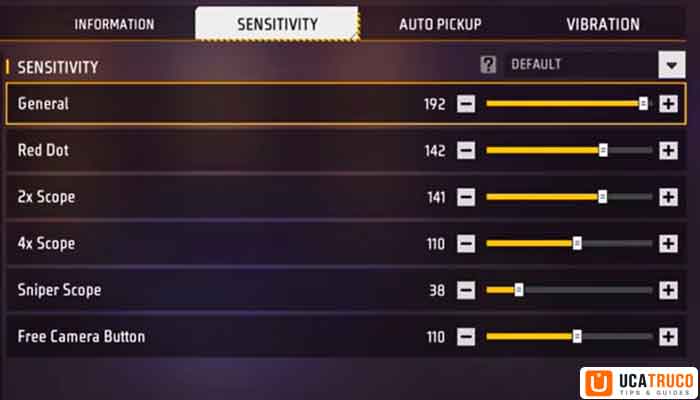
Free Fire MAX runs on the Firelink engine, which handles touch input slightly differently than classic Free Fire. From my experience, MAX responds a bit more smoothly to higher sensitivity values, especially on 90fps-capable devices.
Recommended FF MAX Sensitivity:
- General: 97
- Red Dot: 90
- 2x Scope: 82
- 4x Scope: 66
- AWM Scope: 50
- Gyroscope: 92
On Free Fire MAX, I noticed that keeping Gyroscope above 88 makes a significant difference in spray control during close-range SMG fights. With lower settings, your phone’s tilt simply can’t compensate fast enough for moving enemies.
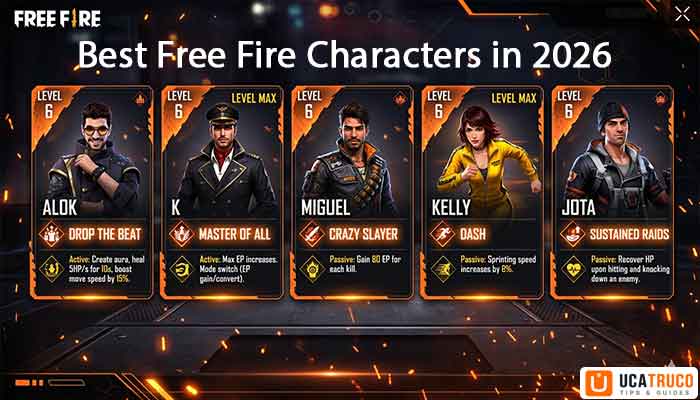
Read More: Best Free Fire Characters in 2026 — Which One Should You Use?
FF Sensitivity Settings India: What Indian Pro Players Actually Use
Indian Free Fire players, including many top-ranked streamers and competitive gamers, tend to prefer slightly higher sensitivity due to the aggressive, fast-paced playstyle popular in the Indian server.
Based on observations from top Indian creators and competitive players, here’s a pattern that consistently performs well:
- General: 95–100
- Red Dot: 88–92
- 2x Scope: 78–84
- 4x Scope: 60–68
- AWM Scope: 42–50
- Gyroscope: 88–96
Why higher? Indian gameplay tends to involve a lot of close-range rushing, building jumps, and peak-shooting. Higher sensitivity lets you spin quickly in intense situations without being caught off-guard.
One Tap Headshot Sensitivity Free Fire: The Exact Formula
One-tap headshots require a very specific balance. You need enough sensitivity to flick to the head quickly, but not so much that your aim overshoots.
Here’s what I found works best for one-tap builds:
One-Tap Headshot Sensitivity Setup
- General: 100
- Red Dot: 90
- 2x Scope: 80
- 4x Scope: 62
- AWM Scope: 45
- Gyroscope: 95
The secret: One-tap headshots in Free Fire depend more on your General and Red Dot sensitivity than anything else. These two settings govern 80% of your gunfights. I tried this setup with an M1014 shotgun and a Glock pistol in training mode — the aim lock on the head region improved noticeably after just 20 minutes of practice.
One important tip: After setting your sensitivity, spend at least 15–20 minutes in Training Mode — specifically at the moving dummy targets. Don’t skip this step. The muscle memory you build there directly translates to real matches.
FF Sensitivity Calculator: How to Find Your Personal Best Settings
There’s no universal “perfect” sensitivity in Free Fire. Your ideal numbers depend on:
- Your phone screen size — Larger screens (6.5″+) generally benefit from slightly lower sensitivity
- Your grip style — Claw grip players usually prefer higher sensitivity than thumb players
- Your internet latency — High ping can make high sensitivity feel erratic
How to use a sensitivity calculator approach manually:
- Start with General at 80, all others proportionally scaled
- Play 5 ranked matches and note where you miss most — left/right overshooting or up/down
- If overshooting left/right, lower General by 5–8 points
- If struggling to track fast-moving enemies, increase by 5–8 points
- Repeat for each scope type individually
- Lock your settings for at least 2–3 days before evaluating
This method gives you personalized Free Fire Sensitivity Settings tuned to your hands, not someone else’s.
Step 2: Control Settings That Actually Support Headshots
This is the section most guides completely skip — and it’s a big reason why so many players improve their sensitivity but still can’t land consistent headshots. Poor control settings create invisible friction in your gameplay. Everything feels slightly off, even if you can’t pinpoint why.
Here are the control settings that work best when optimized for headshot accuracy:
Essential Control Settings Checklist
| Setting | Recommended Value | Why It Matters |
|---|---|---|
| Aim Precision | Default | Gives natural crosshair behavior without artificial lock |
| Left Fire Button | Always On | Enables faster reaction to enemies on your left |
| Hold Fire to Scope | On | Prevents accidental shots before you’re aimed in |
| Quick Weapon Switch | On (if used) | Faster transition between guns in close fights |
| Quick Reload | On (if used) | Reduces downtime between burst shots |
| Reload Progress on Crosshair | On | Keeps your eyes on the target during reload |
| Free Camera Button | On | Useful for checking flanks without moving |
| Auto Switch Gun | On | Seamless fallback when primary runs empty |
| Run Mode | Tap | Faster sprint activation — critical for rushing |
| Throwable Slot | Double Slot | More flexibility with grenades and utility items |
| Glove Smart Throw | Off | Prevents accidental throws during aim adjustments |
| Permanent Glove Button | Off | Reduces button clutter during gunfights |
| Vehicle Control | 200 | Smoother handling and better positional control |
Why does Aim Precision on Default matter? I tested “High Precision” mode thinking it would help with headshots. It actually made my aim feel sticky and delayed during fast drag movements. Default keeps your crosshair movement honest and predictable — which is exactly what you need when you’re trying to drag to the head.
Step 3: Aim Lock Technique — The Real Secret to Consistent Headshots
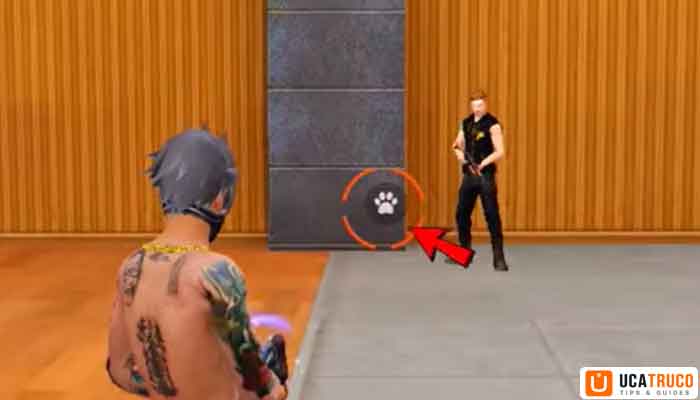
You can have perfect sensitivity and a clean control layout, and still miss headshots if your aim lock technique is wrong. This is where the gap between average players and headshot machines actually lives.
Aim lock in Free Fire works differently depending on your engagement range. Here’s how to use it correctly at each distance:
Close Range (0–15 meters)
At close range, the key is keeping your crosshair low — near the enemy’s feet — while watching for the white aim indicator to appear. Once you see white aim, perform a short, controlled upward drag toward the head.
Why start low? Because your aim naturally wants to drift upward during a drag. Starting at foot level means your drag lands exactly at head height. Starting at chest level means you overshoot to the sky.
Trust me, this one adjustment alone improved my close-range headshot rate dramatically within just a few sessions.
Mid Range (15–40 meters)
At mid range, both white and red aim indicators can work — it comes down to personal preference. However, many experienced players prefer white aim at this distance because it allows smoother aim lock adjustments without locking too hard onto the body.
If you prefer red aim, avoid placing your crosshair directly on the enemy’s body. Instead, position it slightly outside the target, then drag toward the head. Placing it directly on-body at red aim often causes the lock to pull toward center-mass, making headshots harder.
Long Range (40+ meters)
At long range, red aim is your best friend. It helps manage recoil, which becomes a major issue at distance. The technique here depends on whether the enemy is moving:
- Enemy standing still: Drag directly upward toward the head
- Enemy moving: Drag in the same direction as their movement, slightly ahead of them
This second technique — leading a moving target — is what separates players who get lucky headshots from players who land them consistently. The movement drag creates a natural interception point between your bullet and the enemy’s head.
I see these errors constantly, even from players with decent skills:
Mistake #1: Changing settings every day This is the single biggest killer of aim improvement. Your brain needs consistent muscle memory. Changing settings after every bad match destroys that consistency. Give any new setting at least 3–5 days before judging it.
Mistake #2: Copying pro settings without adaptation Pro players use specific hardware, specific grip styles, and have thousands of hours of training. Copying their exact numbers onto a mid-range phone with thumb-only grip will likely make your aim worse. Use pro settings as a starting reference, not a final answer.
Mistake #3: Setting Gyroscope too high without practice Gyroscope at 100 without proper practice leads to uncontrolled wobbling, especially in spray situations. Build up to high Gyro values gradually — start at 70, get comfortable, then go up in increments of 5.
Mistake #4: Ignoring scope-specific settings Many players just set everything to a single value. Your 4x scope needs significantly lower sensitivity than your red dot because you’re aiming at longer distances where small movements have bigger impact. Treat each scope separately.
Step 4: Practice Drills That Build Real Headshot Muscle Memory
Regular matches alone won’t fix your aim as fast as focused drills. Playing ranked while trying to improve sensitivity is like trying to learn to type while writing an essay — you can’t properly focus on technique when winning is on the line. Dedicated drill sessions compress your improvement timeline dramatically.
Drill 1: Moving Target Drag Drill (Most Important)
This is the single most effective drill for headshots against mobile enemies.
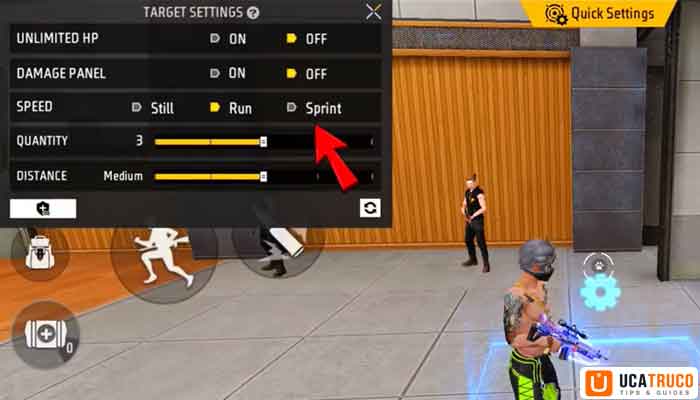
Setup in Training Ground:
- Bot Speed: Sprint
- Quantity: 5 bots
- Distance: Close
Execution: As each bot moves, practice dragging your crosshair in the same direction they’re running — toward the head. Don’t just aim where they are; aim where the head will be in half a second.
Do this drill for 5–10 minutes every day. It sounds simple, but the consistency is what builds muscle memory. After two weeks of this, your in-match aim will feel noticeably more natural against rushing enemies.
Drill 2: White Aim Headshot Drill
This drill specifically trains your aim lock technique on stationary targets.
Setup: Use training dummies in the shooting range. Equip a red dot weapon (MP40 or M4A1 work well).
Goal: Land 6–7 headshots out of every 10 shots using the white aim indicator and upward drag technique described above.
Don’t move on until you’re hitting that 6–7 out of 10 benchmark consistently. Once you reach it at close range, apply the same drill to mid-range dummies, then long-range.
Drill 3: Scope-Specific Headshot Practice
Each scope has different sensitivity and a different feel. Practice headshots separately with:
- Red Dot (close engagement)
- 2x Scope (medium rushes)
- 4x Scope (open-field fights)
Give each scope 3–5 minutes of focused practice per session. Players who only practice with red dot often freeze up when they scope in with a 4x in a real match — because the sensitivity and drag feel completely different.
FAQ: Free Fire Sensitivity Settings
Conclusion: Three Steps, One Goal — More Headshots
Here’s the reality that most Free Fire guides miss: sensitivity settings are just the starting point. The players who consistently land headshots in 2026 aren’t just running lucky numbers — they’ve dialed in all three layers of this system.
They set up their sensitivity based on their device and playstyle. They configured their controls to eliminate friction and support fast reactions. And they put in the practice drills to build the muscle memory that makes it all automatic in real matches.
That’s the complete picture. Start with the sensitivity table in this guide, configure your controls using the checklist above, and commit to 5–10 minutes of daily drills in training mode. Give it a full week of consistency. You’ll be surprised how quickly your headshot rate climbs when all three elements are working together.
Success in Free Fire doesn’t come from copying someone else’s settings — it comes from understanding the mechanics, applying the right technique, and practicing until it becomes second nature.
Did this guide help you land more headshots? Drop your current sensitivity settings and your best headshot drill tip in the comments below — I’d love to see what setup is working for your device! And if you found this useful, share it with your squad. Let’s help every Free Fire player level up their aim in 2026. 🎯